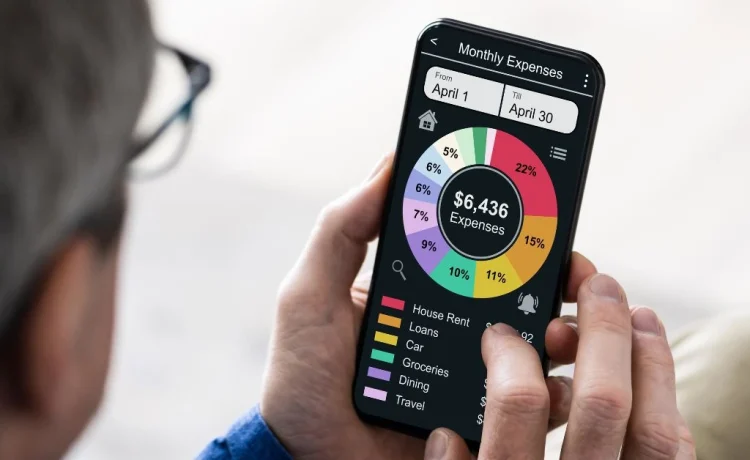
The best budgeting apps right now are YNAB (You Need a Budget) for people serious about changing their habits, Monarch Money for couples and households managing finances together, and Copilot for iPhone users who want something that looks great and actually stays up to date. These three cover most of what most people need—though the right pick depends entirely on how you actually behave with money. Researching the best apps for budgeting is the first step toward gaining total control over your monthly cash flow.
Here’s something most budgeting app roundups won’t tell you: the app itself is never the hard part. Most people download a budgeting app, feel good about it for a week, and then slowly stop opening it. The apps that actually help are the ones that fit your existing habits rather than demanding you build new ones from scratch. That’s the lens we used to evaluate these.
Quick Comparison: Top Budgeting Apps
|
App |
Best For |
Monthly Cost |
Platform |
Standout Feature |
|---|---|---|---|---|
|
YNAB |
Zero-based budgeting |
$14.99/mo or $109/yr |
iOS, Android, Web |
Gives every dollar a job |
|
Monarch Money |
Couples & households |
$14.99/mo or $99.99/yr |
iOS, Android, Web |
Shared budgets + net worth |
|
Copilot |
iPhone power users |
$13/mo or $106/yr |
iOS only |
AI-powered auto-categorization |
|
Rocket Money |
Subscription tracking |
Free / $6-$12 premium |
iOS, Android |
Cancels unwanted subscriptions |
|
PocketGuard |
Overspenders |
Free / $12.99/mo |
iOS, Android |
Shows how much is “safe to spend” |
|
Goodbudget |
Envelope method fans |
Free / $10/mo |
iOS, Android, Web |
Envelope budgeting without bank sync |
Honest App Reviews
YNAB – Best for People Who Are Ready to Change
YNAB isn’t just an app – it’s a system. The core idea is that you budget money you already have, not money you’re expecting. It’s one of the few apps that has actual research backing its effectiveness: users report saving an average of $600 in their first two months. The learning curve is real, but the payoff is real too. If you’re carrying credit card debt or have never been able to stick to a budget before, YNAB is worth the subscription cost.
Monarch Money – Best for Partners Managing Money Together
Most budgeting apps treat finance as a solo activity. Monarch doesn’t. It was built from the ground up for households – you can both see the same dashboard, split expenses, and track combined net worth. The interface is clean and the syncing is reliable. Couples who have struggled to get on the same page financially consistently point to Monarch as the thing that finally made it work.
Copilot – Best for iPhone Users Who Want It to Just Work
Copilot’s AI categorization is noticeably better than competitors. It learns your patterns, correctly labels recurring transactions, and flags anomalies without you having to touch anything. The trade-off: it’s iOS only, which immediately eliminates it for Android users. If you’re in the Apple ecosystem, it’s the sleekest option available.
Rocket Money – Best for Hunting Down Wasted Spending
Rocket Money’s killer feature is subscription tracking and cancellation. It scans your accounts, identifies recurring charges you may have forgotten about, and – if you use their premium tier – will actually contact companies to cancel subscriptions on your behalf. Most people find at least $30-50/month in subscriptions they’d forgotten about. At that rate, the app pays for itself in days.
Free vs. Paid: Is It Worth Spending Money on a Budgeting App?
|
Category |
Free Apps Give You |
Paid Apps Add |
|---|---|---|
|
Transaction syncing |
Basic bank connection |
Faster sync, more institutions |
|
Categorization |
Manual or basic auto |
AI-powered, learns over time |
|
Reports & insights |
Simple summaries |
Trends, projections, net worth |
|
Support |
Community forums |
Live chat or priority support |
|
Shared access |
Usually not included |
Household/partner access |
For most people, free apps are a good starting point. But if you’ve already tried free apps and fallen off the wagon, spending $10-15/month on a premium tool often changes the equation – partly because having skin in the game makes you more likely to use it.
Why People Quit Budgeting Apps (And How to Not Be That Person)
The number one reason people abandon budgeting apps isn’t the app – it’s the expectation. People open the app once, see their overspending laid out in red charts, feel overwhelmed, and close it. Here’s a different approach:
- Week 1: Just track. Don’t change anything, just watch where your money goes.
- Week 2: Set one limit. Just one category – dining out, subscriptions, whatever stings most.
- Week 3: Automate your savings. Even $25/week makes the habit real.
- Month 2: Add more categories once the first one feels normal.
The apps that work best are the ones you check at least a few times a week. Treat it like a quick habit – 2 minutes while your coffee brews. That’s all it takes.
Which App Is Right for You?
|
You Are… |
Best Pick |
|---|---|
|
Completely new to budgeting |
PocketGuard or Rocket Money (free tier) |
|
Serious about overhauling your finances |
YNAB |
|
Managing money with a partner |
Monarch Money |
|
iPhone-only, want something beautiful |
Copilot |
|
Mostly want to cut wasted spending |
Rocket Money |
|
Goodbudget |